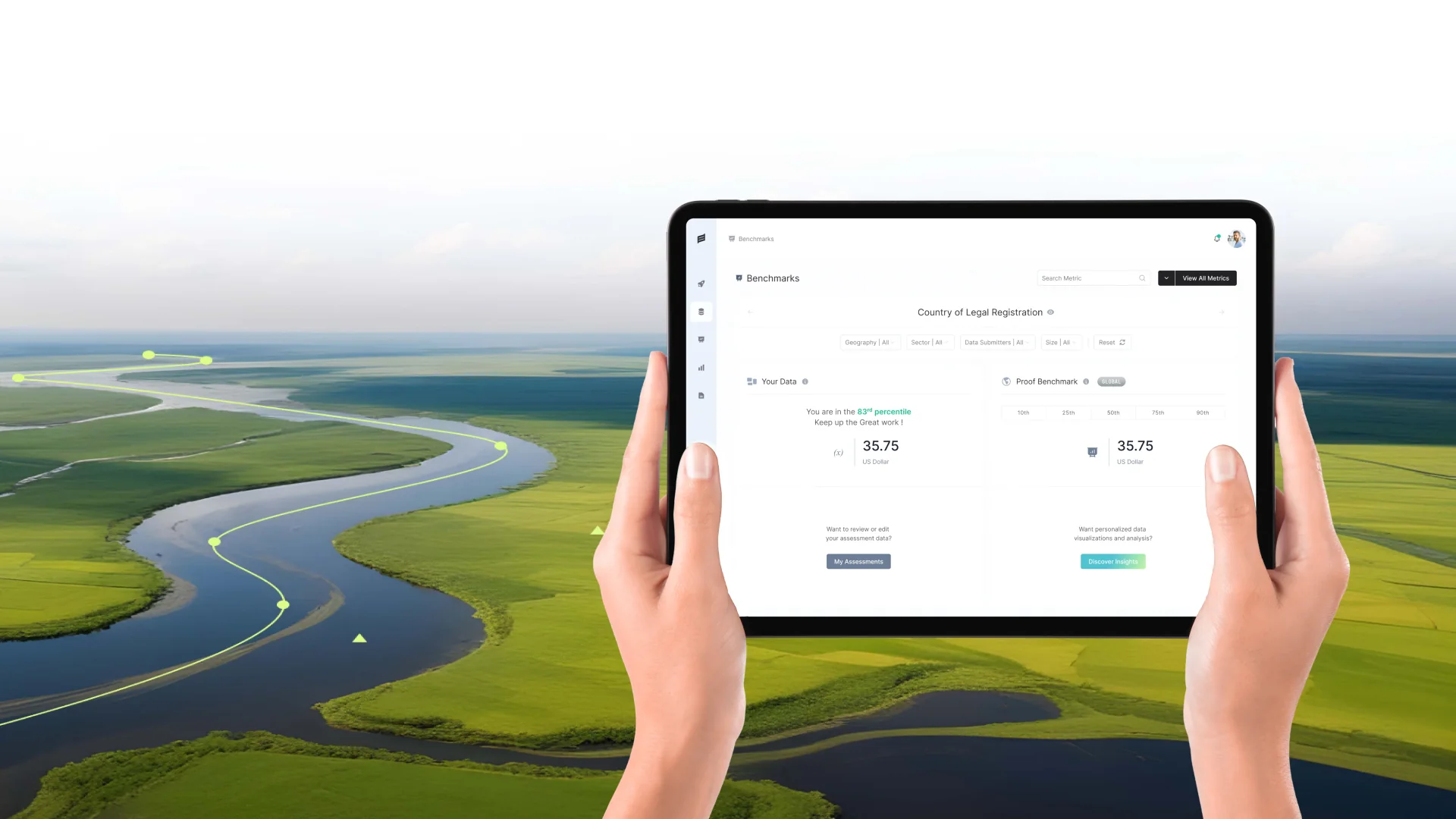
Vamo gives workers direct access to their wages through an FDIC-insured bank account, a Mastercard debit card and $1.99 money transfers, all set up through their employer’s payroll. When we redesigned the Vamo landing page, we quickly saw that the page was carrying decisions a growing product would need again and again: how a headline should feel, which green means “go”, how a feature card is put together. On 9 October we published Vamo Design System V1, built directly from the fourth version of the landing page redesign. This is how we approached it, and what we would do the same way again.
Why a system, and why now
Small teams often postpone a design system until “later”, when the product is bigger. The trouble is that later never gets easier. Every new page made without shared foundations adds another slightly different button, another shade of green, another spacing value. By the time the system arrives, it has to untangle months of drift.
Vamo was at a useful moment. The landing page had been through four rounds of redesign and review, so its decisions were tested rather than theoretical. The product team was about to build more marketing pages and in-app screens. Capturing the system at this point meant the next pages would start consistent instead of needing a clean-up afterwards.
We also wanted the system to be small enough to be adopted. A large library that nobody uses is worse than a modest one that everybody does. V1 was deliberately scoped to what the landing page actually needed.
Extracting, not inventing
Instead of designing a component library in the abstract, we extracted it from a page that already worked. We went through the landing page section by section and asked the same question each time: is this a one-off, or a pattern we will need again? Navigation, section tags, feature cards, comparison rows, trust badges and call-to-action buttons all passed that test.
Anything used only once stayed out. That rule kept V1 honest. Every component in the library has a proven job, a real example and a reason to exist. When the team asks “should this be in the system?”, the answer comes from usage, not from opinion.
Extraction also exposed inconsistencies we had not noticed while designing page by page. Two card styles that looked almost identical became one. Several near-identical greys were reduced to a single token. The page itself improved as a result of building the system from it.
Every component in the library has a proven job, a real example and a reason to exist.
Colour: five tokens with clear jobs
Vamo’s palette has five brand colours: Vamo Dark Blue (#1E2F59), Bright Green (#95D904), Dark Green (#65A603), Air Green (#E1F2BD) and Gray Light (#F2F2F2). A palette alone does not tell anyone how to use it, so each colour has a role.
Dark Blue carries headings and structure, and gives the brand its seriousness. Bright Green is reserved for action and positive outcomes, so it keeps its meaning instead of being used as decoration. Dark Green supports it where more contrast is needed. Air Green creates calm, recognisable backgrounds, as in the security section of the page. Gray Light separates surfaces without adding visual noise.
Writing these roles down matters as much as the hex values. It is the difference between a team that picks colours by taste and one that picks them by meaning.
Type: three roles, one family
The type system uses one family, Nimbus Sans, in three clearly defined roles. Nimbus Sans Black is for bold brand statements such as “Your money. Your life.” Nimbus Sans Bold is for screen titles and active text such as “Card Collection” and “Performance Summary”. Nimbus Sans Regular covers body copy, input labels such as username and password, and fine print.
Defining roles instead of a long list of sizes makes the system easier to apply. A designer or engineer does not need to remember that a heading is 48 pixels on one page and 44 on another; they need to know whether the text is a statement, a title or body copy. Sizes then follow from the role and the screen.
One family in three weights also keeps the brand consistent across very different contexts, from a large campaign headline to the small legal text under a sign-up form.
How the file is organised
The system lives in four pages. The Cover states what the library is, its version and its source: Landing Page Redesign V4. Foundations holds colour, typography and the basic rules. Components contains the reusable web pieces with their states. The Playground is where new layouts are composed from existing components before anything new is added to the library.
The Playground turned out to be one of the most useful parts. It gives people permission to experiment without polluting the system. A new section is first assembled from existing pieces. Only if it proves itself, and if it will be reused, does it graduate into Components.
Composition rules sit alongside the components. They explain how pieces combine, for example how a section tag, heading and supporting line stack together, so the system describes layouts and not only parts.
Mistakes we avoided
The first is building too much. It is tempting to add every possible variant of a button or card “just in case”. Each one has to be documented, maintained and kept consistent with the rest. Unused variants also make the library harder to navigate, so people fall back to building their own.
The second is separating the system from the people who use it. We reviewed V1 with the people who would build the next pages before publishing it, so the names, organisation and rules matched how they actually work. A system that makes sense only to its authors does not get adopted.
The third is treating the first version as final. Publishing it as V1, with a date and a source, made it clear that the system would evolve, and that feedback was expected rather than a sign that something had gone wrong.
Helping the team adopt it
Adoption is where most design systems succeed or fail. We kept the entry point simple: the Cover explains what the system is for, and Foundations can be read in a few minutes. Anyone designing a new page starts in the Playground with real components rather than a blank canvas.
We also made the source visible. Because every component came from the landing page, people can see exactly how it is meant to be used in context. That is often more useful than an abstract usage guideline.
What comes after V1
A design system is a product, not a project. V1 is a starting point with a version number, which signals that it will change. New components will be added when real pages need them, and existing ones will be refined as the team learns how they behave in production.
The most important habit is to keep the system and the product in step. When a page needs something the system does not have, that need is recorded and reviewed, rather than solved quietly with a one-off. Over time, that discipline is what keeps a brand feeling like one company, even as more people contribute to it.
What made V1 work
- Extract the system from real, reviewed work rather than designing it in the abstract.
- Give every colour and type style a written role, not just a value.
- Use a playground to compose new layouts before anything joins the library.
- Version the system and keep it in step with the product.